
Most people discover the limitation only after hitting share — Pinterest doesn't let you save animated GIFs directly. That friction is precisely why a dedicated GIF downloader became essential for meme creators and casual collectors.
The online tool works without installing any app. Paste a direct link, and it detects the animated content automatically, delivering your chosen clip in high quality.
Whether building a personal GIF collection or sourcing reaction clips for daily use, the right downloader handles this seamlessly. Format compatibility matters, and this tool resolves it without compromise.
How to Download GIFs from Pinterest
Most people assume right-clicking works — it doesn't. Pinterest transcodes every animated pin into a silent, looping MP4, so standard save attempts grab a video stub, not a clean animated file.
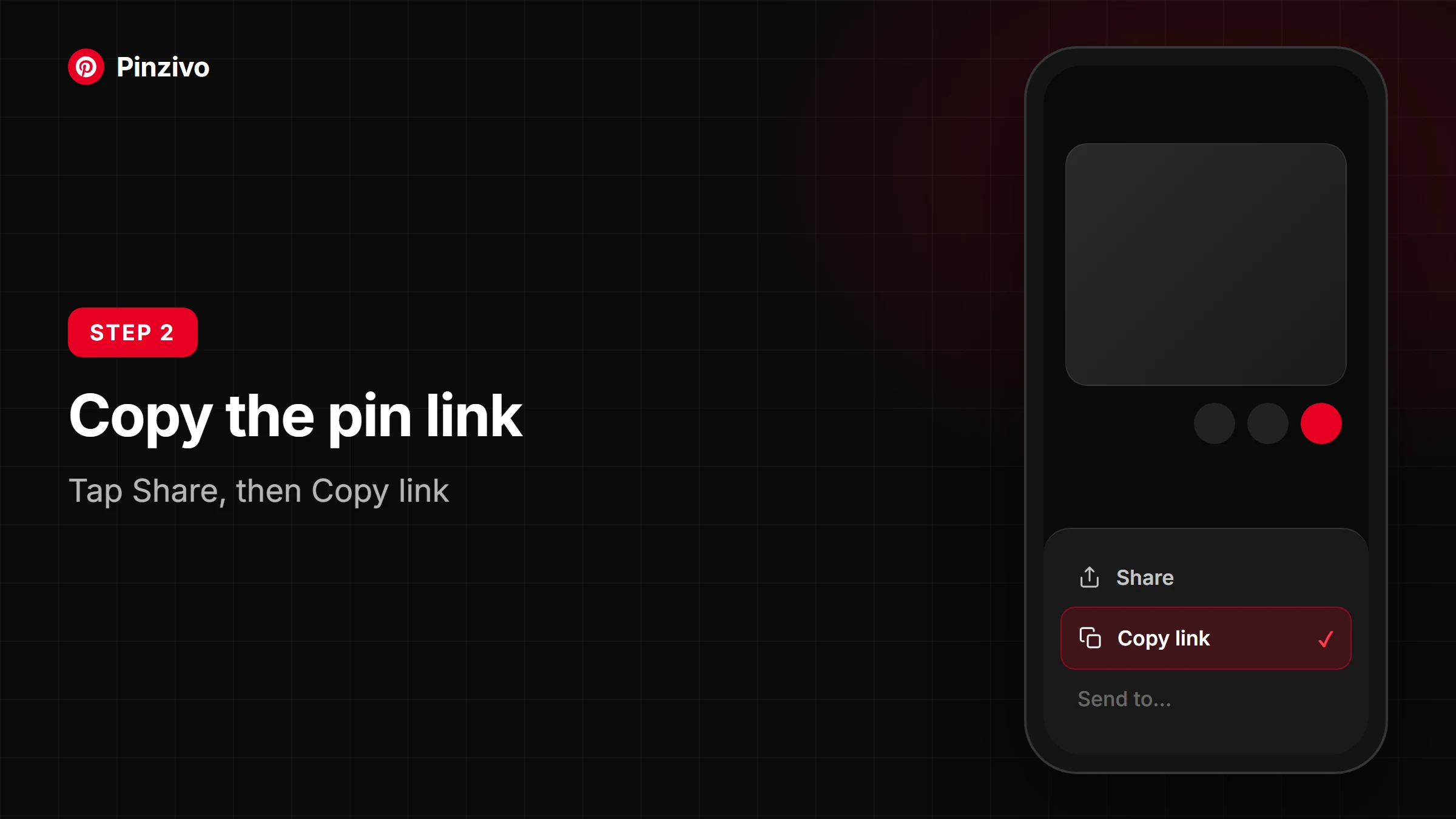
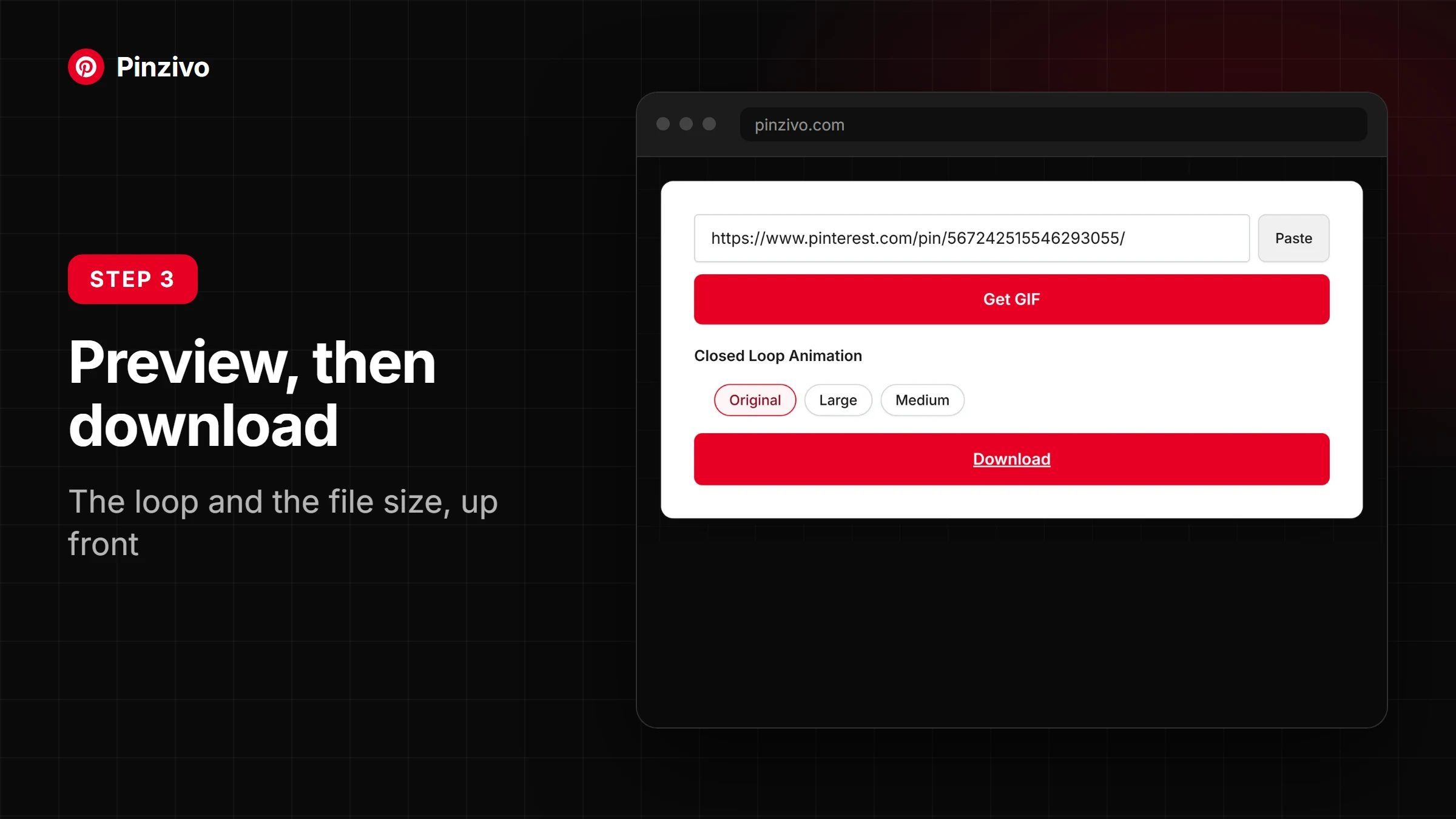
Open the Pin, hit Share, Copy Link, then paste that URL into this GIF downloader. Within seconds, it fetches the highest-quality animated file directly from Pinterest's servers — no software, no login required.
How Pinterest Actually Stores GIFs
Most people assume Pinterest handles animated content the way older platforms do. In reality, the moment you upload a GIF, the platform transcodes it into a silent, looping MP4 — dramatically cutting bandwidth and improving feed performance.
This format shift means your original files are rarely stored as true GIFs anymore — Pinterest's servers keep them as looping video instead, while the animation still plays back identically to viewers.
Recovering that content still needs a proper tool rather than a right-click-save — this downloader fetches the animated file at its highest available quality and delivers it as a genuine, working .gif file, so you get a clean, unwatermarked download with the true loop and frame timing kept exactly as the original — no separate player needed to view it.
GIF vs MP4 — Which Format Should You Pick?
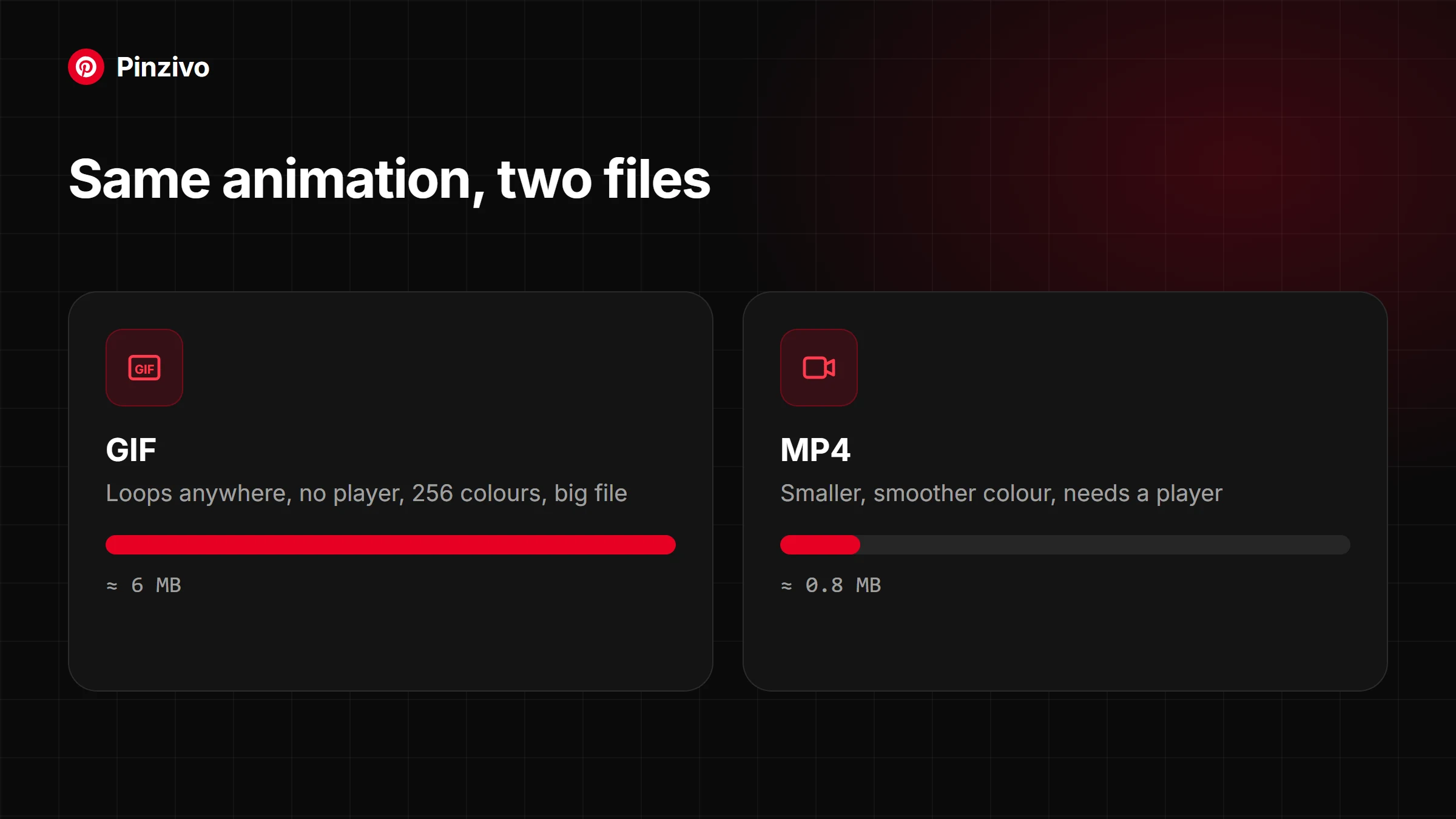
Most people instinctively reach for the GIF format when saving animated clips, but MP4 actually delivers sharper quality at a fraction of the file size.
GIF encodes only 256-colour data per frame, making animation visually limited compared to MP4's compression engine. For Discord, WhatsApp, and quick social media sharing, GIF wins on compatibility, but sharper motion fidelity belongs to MP4.
Since Pinterest internally transcodes every animated upload into a silent, looping MP4, most tools just hand you that raw video. This one gives you the true GIF-format file by default — the format that actually suits memes and messaging apps that don't support video playback.
Key Features of This Pinterest GIF Downloader
This Pinterest GIF downloader fetches the original animated file straight from Pinterest's CDN and delivers it as a genuine .gif — true loop, frame timing kept, no player needed — no login, no registration, no watermark, and no hidden fees.
SSL encryption, HTTPS security, and zero personal data collection make this tool structurally safe. Every URL you paste gets processed real-time and immediately discarded.
Unlimited downloads arrive in seconds across Chrome, Safari, and Firefox — fully compatible with social platforms and messaging apps.
Why Use Our Pinterest GIF Downloader
Zero watermark — every animated GIF you pull arrives exactly as published, no branding, no logo overlay.
Completely secure and private — we never touch your login, password, or credentials; everything runs over HTTPS with SSL encryption.
Universal compatibility — works identically across Chrome, Safari, Opera, or Firefox, on mobile, tablets, and desktop.
No daily limits, completely free — download as many Pinterest GIFs as you like, with no hidden limit, every single time.
No registration — no account, no email, no password needed anywhere in the process.
Straight from Pinterest's CDN — files are pulled directly, never re-hosted or cached elsewhere, so you get the original resolution without re-compression.
How to Download Pinterest GIFs on Every Device
iPhone (iOS): Open the Pinterest app, tap the share icon on any animated Pin, then hit Copy Link. Paste that link into the downloader's input box, tap Download, and save to Photos.
Android: Tap the share icon below the pin, choose Copy Link, then paste the URL into the downloader. Tap Download and save to your Gallery folder.
PC/Windows: Copy the pin's link from the address bar or share menu, paste it into the downloader, click Download, and the file saves instantly to your Downloads folder.
Mac: Open pinterest.com in your browser, right-click the animated pin, copy its link, then paste it into the downloader and click Download.
Saving GIFs for WhatsApp, Discord, and Social Media
Downloaded animated GIFs land perfectly across WhatsApp, Discord, Telegram, and Instagram — no share link needed. Save once, use everywhere. Reaction GIFs and funny animations hit differently when sent directly as files instead of re-shared links.
Who Uses the Pinterest GIF Downloader?
Content creators and meme creators rely on this tool for saving animated content efficiently, skipping the watermark hassle.
Social media managers handling motion posts use this downloader to grab short looping clips and instantly receive animated files in original format.
DIY enthusiasts and food bloggers browse Pinterest's feed, spot animated recipe clips, and save them offline using specialized tools instead of the frustrating right-click-save.
Educators building visual lessons save animated reference clips free of cost, without watermark interference, keeping academic content clean.
Marketers treat Pinterest as a visual goldmine, downloading animated product clips in original format without a watermark.
Is It Legal to Download Pinterest GIFs?
Downloading Pinterest GIFs for personal use falls into a gray area under copyright laws. Content creators retain ownership of their work, so always verify permissions before reusing images or media beyond private consumption.
Legal & Technical Notice
Downloaded content is intended for personal use only. Avoid republishing, selling, or commercial redistribution without creator permission. Always credit original authors when sharing animated visuals publicly.